New
CAPE
Spectral Resonance Dynamic Processor.
Free. Leave your email address and the download link arrives by mail.
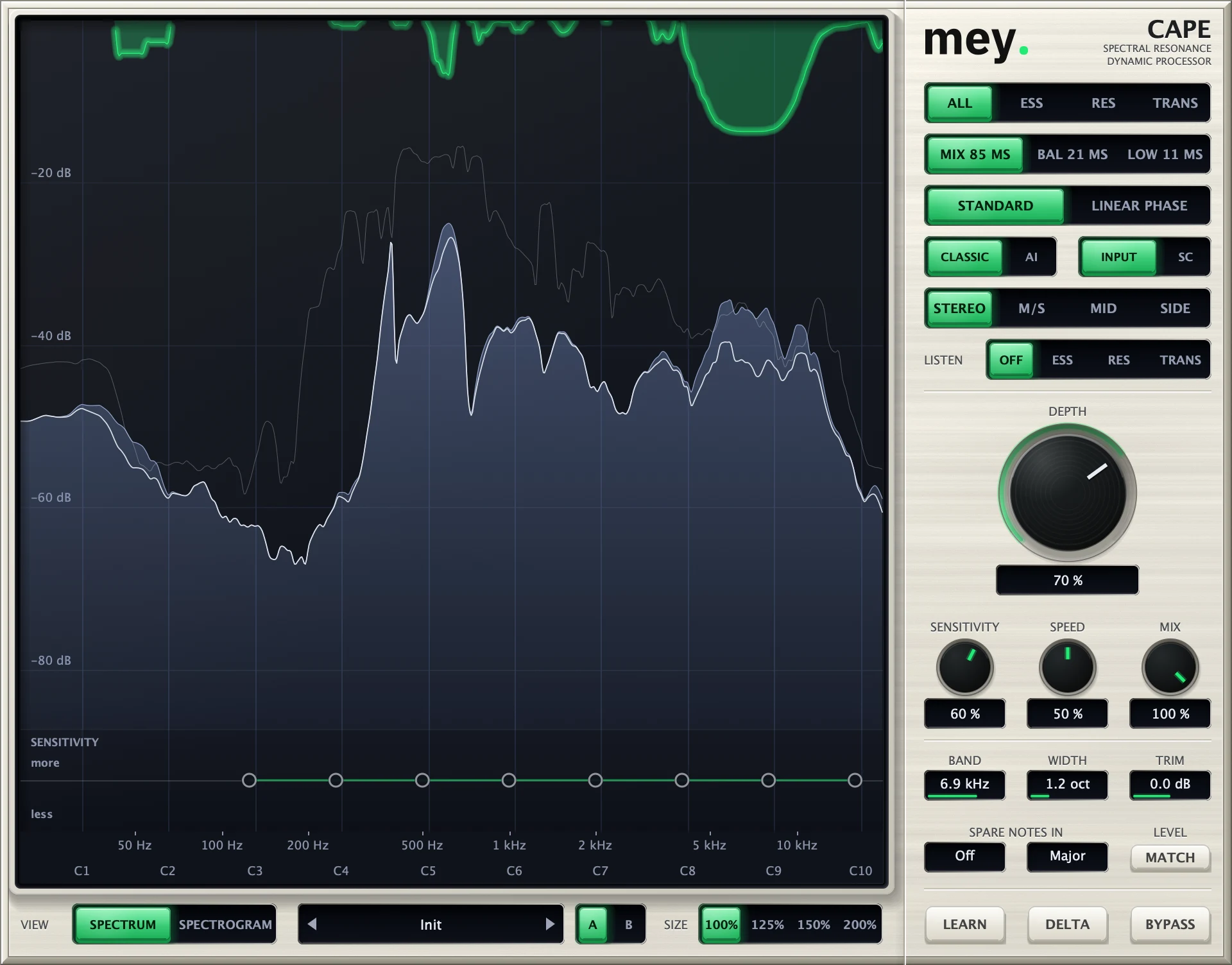
A de-esser, a resonance suppressor and a transient shaper are one job: find what sticks out and turn it down, only while it sticks out. CAPE does all three in one plug-in, on one engine, with one set of controls. You see what it hears, and you set how deep it goes.
Get the highlights.
One function
Ess, resonance and transients are one job.
Harsh “s” sounds, a ringing note in a room and the click of a pick are the same thing seen from different sides: a part of the spectrum that jumps out for a moment. Most tools make you pick the tool first. CAPE listens, decides which kind of sound it is, and treats it.
Noise-like sound, such as an “s” or a hi-hat, is handled by the Ess detector. Narrow, sustained peaks are handled by the Resonance detector. Short broadband events go to the Transient detector. All three share one analyser, one gain smoother and one set of controls.
See it
Spectrum or spectrogram, and a sensitivity curve you draw.
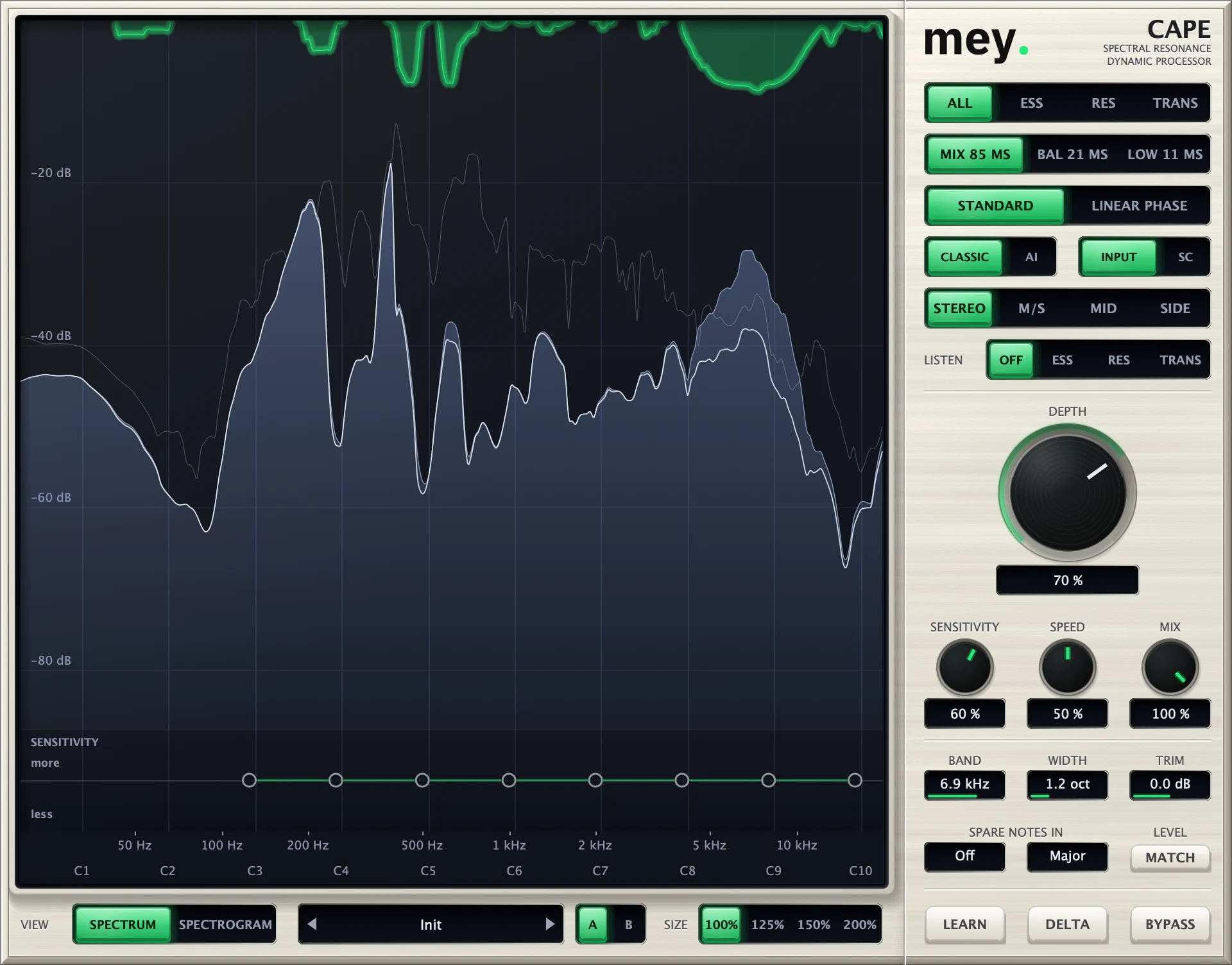
Choose Spectrum or Spectrogram for the view. The sensitivity curve under it has handles along the frequency axis: pull a handle up to make CAPE react more at that frequency, down to leave it alone.
Listen plays only what CAPE takes away, per detector: Ess, Res or Trans. Delta does the same for the whole signal. That is the quickest way to hear whether you are cutting the right thing.
Controls
Depth, Sensitivity, Speed, Mix.
Depth sets how far CAPE may turn something down. Sensitivity sets how readily it reacts. Speed sets how fast it follows. Mix blends the processed signal with the original, and Trim sets the output level, with a Match button for auto gain.
Band and Width place a musical band, by centre frequency and octave width, where the processing works. Spare notes in a key lets you tell CAPE which notes of a scale to leave alone, so a sung note is not mistaken for a resonance.
In your session
Stereo, sidechain and latency, your choice.
Process Stereo, M/S, Mid or Side. Detect from the input or from the sidechain. Choose Standard or Linear phase quality, and a latency of Mix, Balanced or Low: the plug-in reports it to the host, so delay compensation keeps everything in time.
A and B hold two complete settings to compare, and there is a preset menu. VST3 and Audio Unit for macOS, Apple Silicon and Intel; Windows follows later.
Tech specs
- Formats
- VST3 and Audio Unit for macOS, Apple Silicon and Intel. Windows follows later.
- Modes
- All, Ess, Resonance, Transient
- Views
- Spectrum and Spectrogram, with a drawn sensitivity curve
- Stereo
- Stereo, M/S, Mid, Side; detect from input or sidechain
- Quality
- Standard or Linear phase; latency Mix, Balanced or Low
- Price
- Free. No licence key, no activation, no trial limit.
Questions
Which DAWs does it work in?
Any host that loads VST3 or Audio Units: Logic, Ableton Live, Cubase, Studio One, Reaper and others. There is no AAX version, so it does not load in Pro Tools.
Is it a de-esser or a resonance suppressor?
Both, and a transient shaper too. They are one function in CAPE. The mode switch lets you focus on one kind of sound, Ess, Res or Trans, or leave it on All.
Does it work on Windows?
Not yet. CAPE is for macOS now, as VST3 and Audio Unit. A Windows version follows later. Tick the update box when you get CAPE and we write when it is ready.
What does CAPE cost?
Nothing. There is no licence key, no activation and no trial period. It is the whole plug-in.
Why do you ask for my email address?
To mail you the download link. That is the only reason. A separate box, not ticked for you, lets you also hear about new builds and the Windows version. Every mail has a link to stop that or to remove your address.
Does it need the internet?
To download it, yes. The plug-in itself does not need an account or a licence check. No audio and no file names ever leave your computer.
What do you do with my address?
It is stored with the time you gave it and used for the download mail, and for update mails only if you ticked that box. Read the privacy page.
Get CAPE, free.
Leave your email address, put it on a vocal, turn Depth up.
macOS, Apple Silicon and Intel. VST3 and Audio Unit. Windows follows later.